Caricare i dati meteorologici su Weather Underground
Questa guida vi permetterà di caricare i vostri dati meteorologici sulla famosa rete di stazioni meteo Weather Underground.
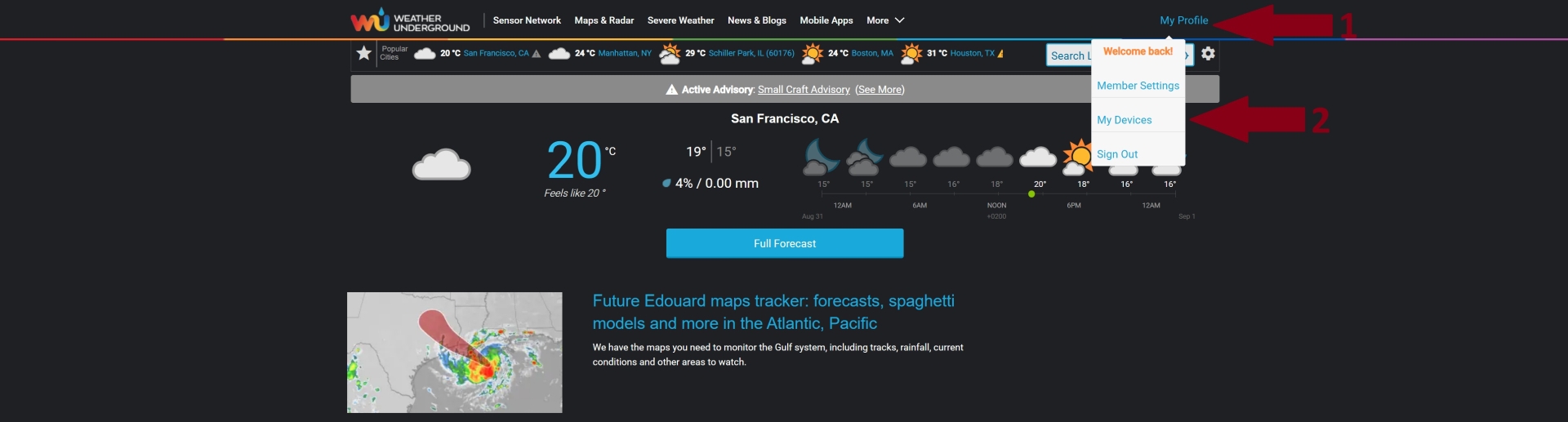
• Dopo aver effettuato la registrazione del vostro account sulla piattaforma e l'accesso all'area riservata, cliccare su My Profile in alto a destra (1), poi su My Devices (2).
Cliccare per ingrandire
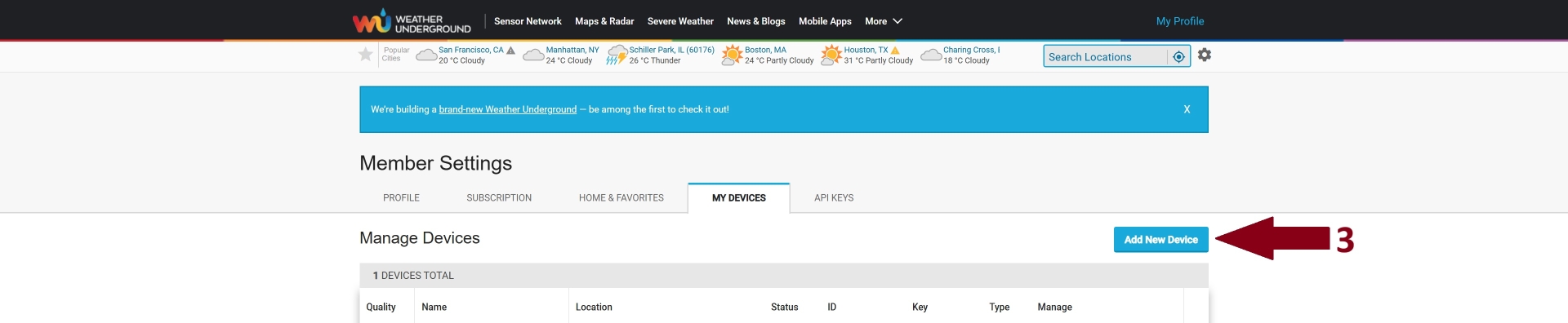
• Nella pagina seguente, cliccare su Add New Device (3).
Cliccare per ingrandire
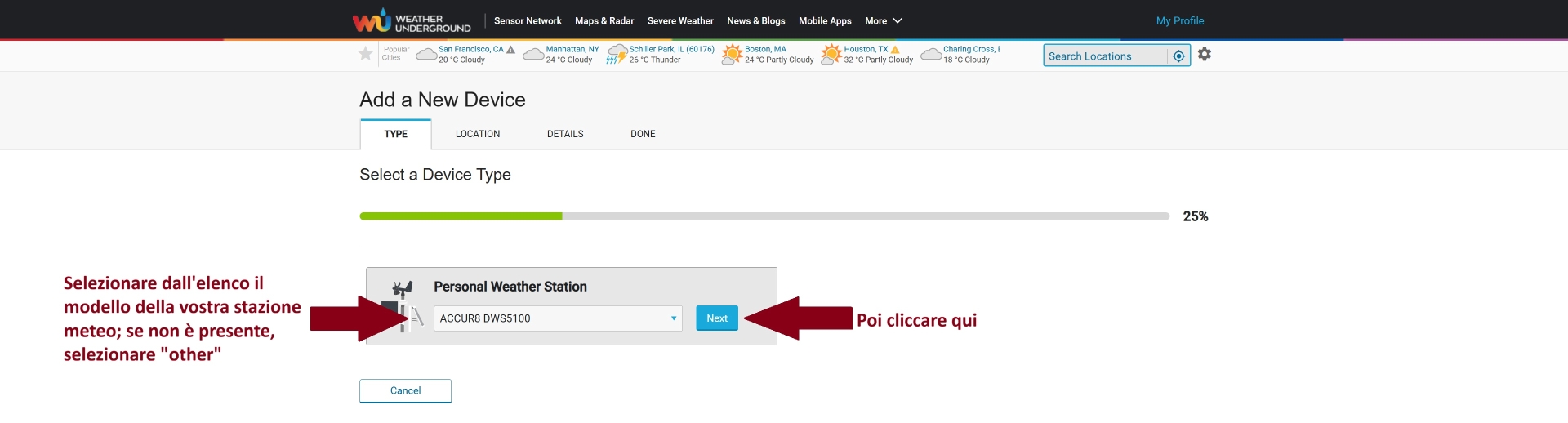
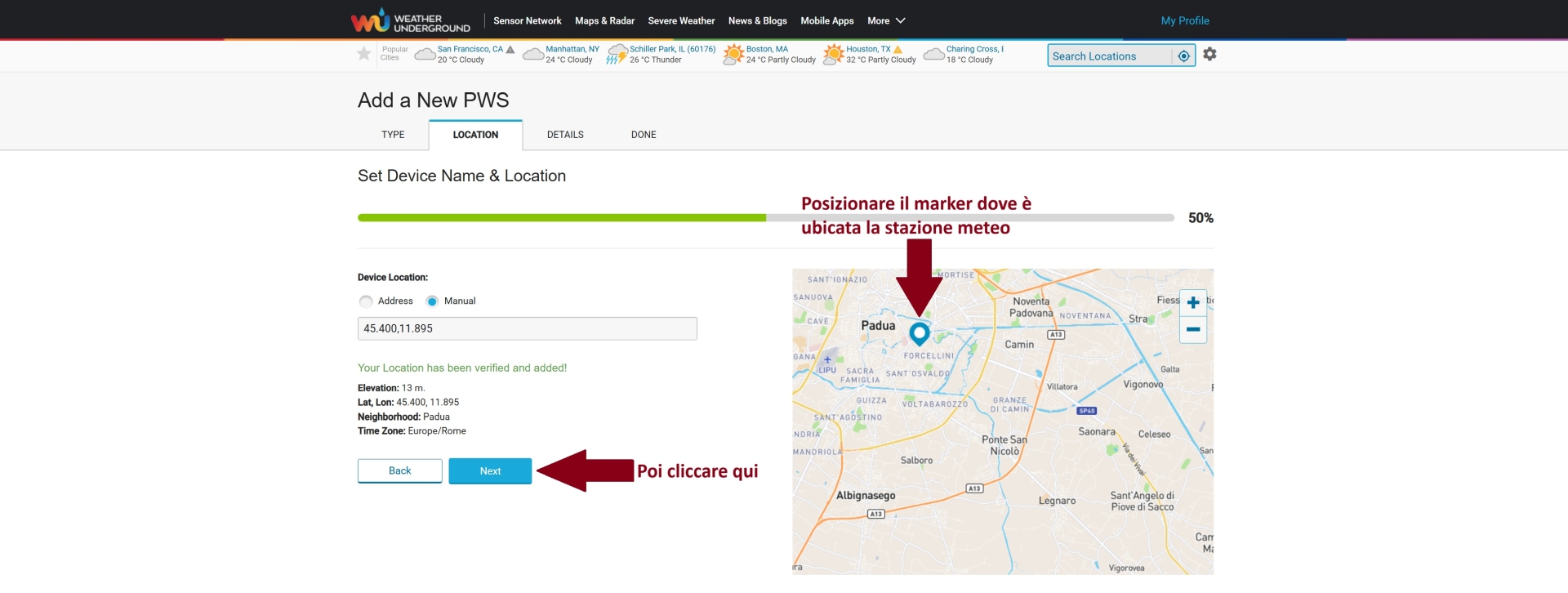
• Accederete alla pagina di registrazione della vostra stazione meteo alla rete; compilare i vari campi come segue:
Cliccare per ingrandire
Cliccare per ingrandire
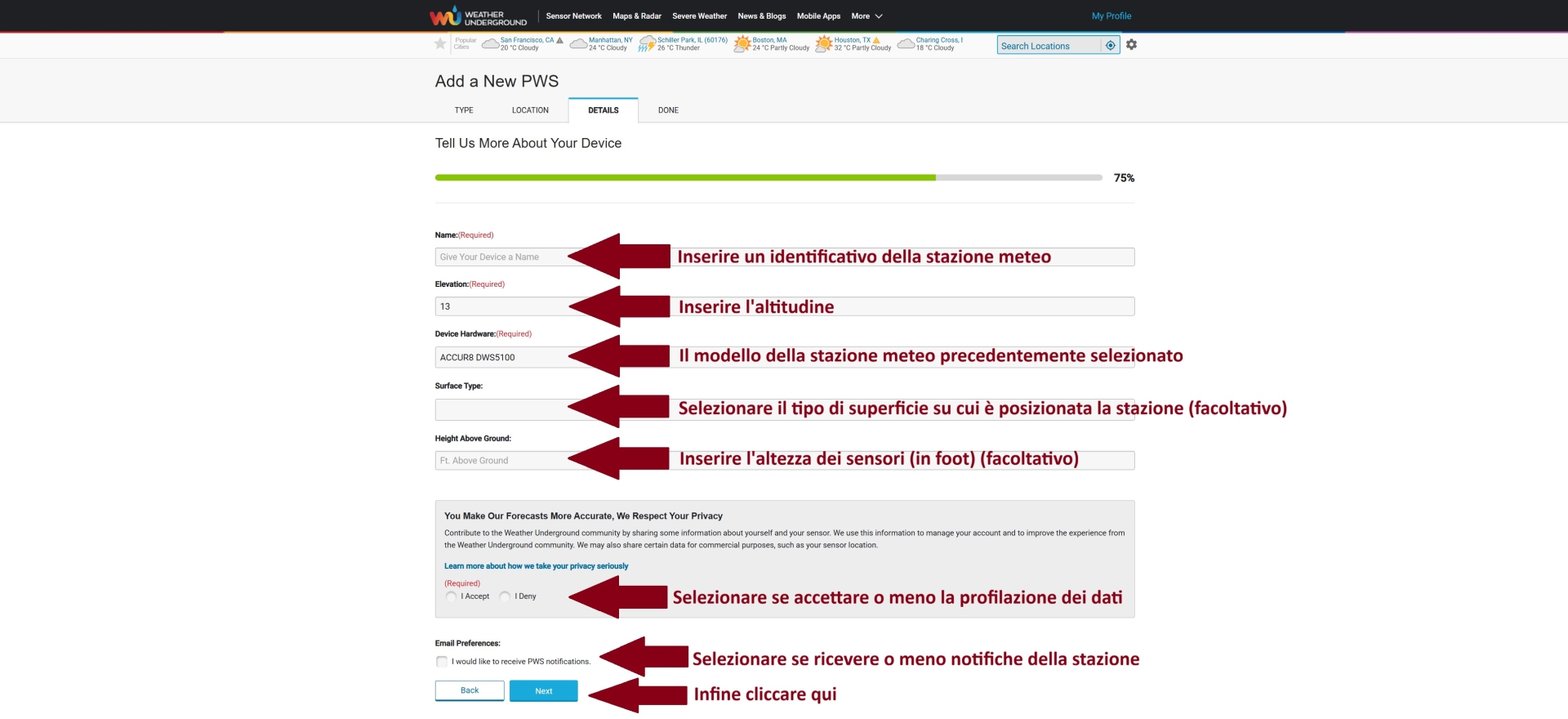
Cliccare per ingrandire
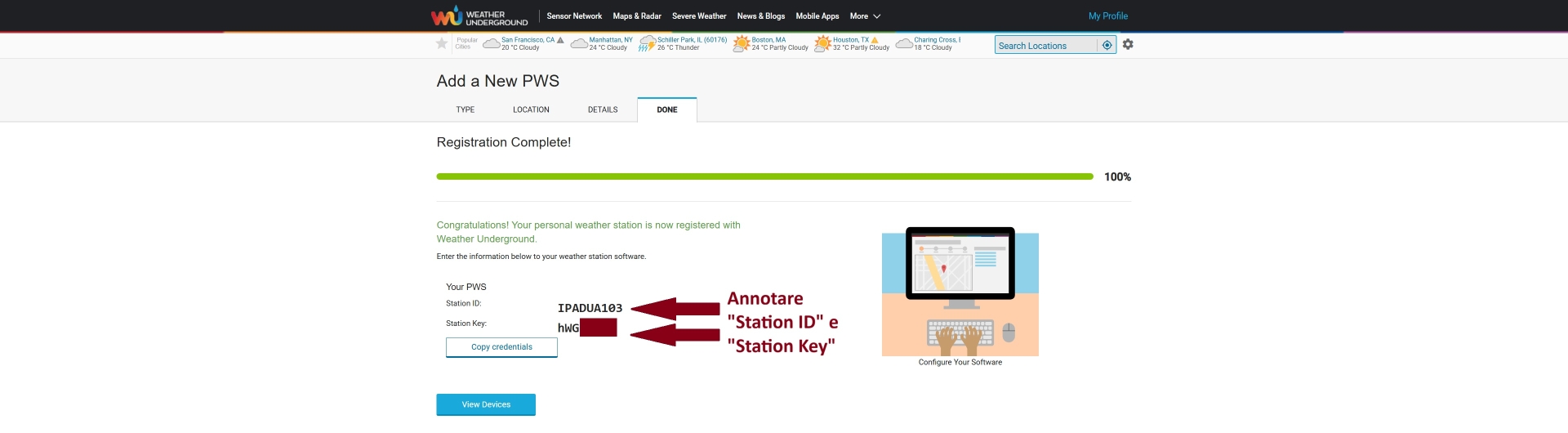
• Nella pagina di conferma, annotare Station ID e Station Key forniti: ci serviranno nel passo successivo.
Cliccare per ingrandire
• Aprire il file weewx.conf con il vostro editor di testo preferito.
• Cercare la sottosezione [StdRESTful] [[Wunderground]] e configurarla come segue; andranno inseriti qui Station ID e Station Key annotati al termine del passo precedente.
[StdRESTful]
    ...
    [[Wunderground]]
        # This section is for configuring posts to the Weather Underground.

        # If you wish to post to the Weather Underground, set the option
        # 'enable' to true,  then specify a station (e.g., 'KORHOODR3'). Use
        # the station key (find it at
        # https://www.wunderground.com/member/devices) for the password.
        enable = true                # Inserire "true"
        station = IPADUA103          # Inserire Station ID
        password = hWGxxxxx          # Inserire Station Key

        # Set the following to True to have weewx use the WU "Rapidfire"
        # protocol. Not all hardware can support it. See the User's Guide.
        rapidfire = false            # Inserire "true" se la stazione meteo supporta il protocollo Rapidfire
    ...
• Salvare le modifiche.
• Riavviare ora Weewx da terminale, eseguendo il relativo comando, che potete trovare qui. Nel nostro caso è:
sudo systemctl restart weewx
Fatto ciò, la procedura è completa.
Potete trovare una demo del caricamento dei dati meteorologici sulla rete Weather Underground cliccando qui.